What are Shaders?
A shader is simply a program that runs on the GPU. It allows you to take advantage of the GPU’s architecture to perform any task you’d like. You might wonder then, how they came to be called “shaders” instead of something like “GPU program”?
Well, that is, surprisingly, thanks to Pixar Animation Studios! In 1988, after working on their in-house rendering engine RenderMan, they released their RenderMan Interface Specification (RISpec) which includes the specification for their shading language. This was the first use of the term shader!
Usually (although not necessarily always) the tasks performed by shaders are rendering-related. So, to make things easier to manage, we started classifying shader programs by their purpose in the rendering pipeline.
What is a Rendering Pipeline?
The rendering pipeline is the flow of tasks needed to complete the rendering of the current frame.
For the OpenGL rendering API, these tasks are (Khronos Group, 2022):
- Vertex Processing
- Vertex Post-Processing
- Rasterization
- Fragment Processing
A simple rendering pipeline therefore, requires two types of shaders: a vertex shader and a fragment shader. In the following section however, we will explore all shader types and their purpose.
Types of Shaders
Vertex Shaders
These shaders as executed once for every vertex in a mesh that needs to be rendered on screen. Their purpose is to transform the vertices through different coordinate spaces until it is finally transformed into clip-space coordinates.
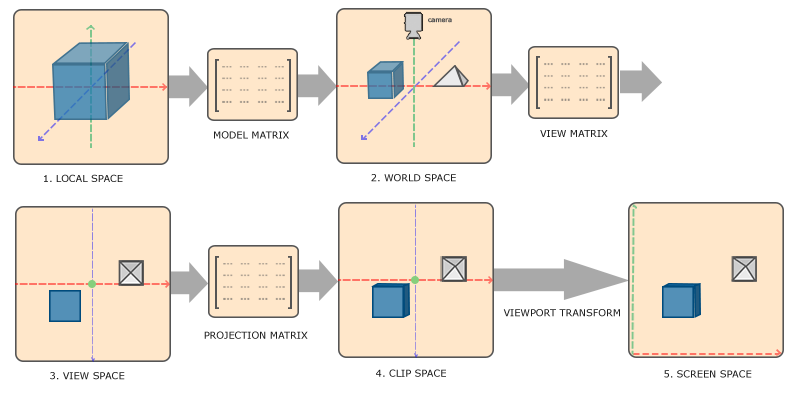
The vertex shader can also “post-process” the vertices as they are transformed between the different coordinate spaces, which is what allows us to create interesting visual effects, such as waving grass:
So I started working on that Grass plugin y'all wanted. More info in the comments.
— NekotoArts (@NekotoArts) June 17, 2022
Dunno what's wrong with the video FPS, it was running smoothly for me.#GodotEngine #Godot #shader #vfx #Grass #plugin pic.twitter.com/nsM4m6I8Ga
Fragment Shaders
Fragment shaders process fragments generated from the rasterization process, and output a color value as well as a depth value.
“Fragment” vs “Pixel”
These two are often confused together even though they mean different things. It also doesn’t help that in other rendering APIs there exist “pixel shaders” that have the same functionality as fragment shaders.
Rasterization is the process of breaking down primitives into a set of fragments based on a sample size. These fragments are processed by a fragment shader and are interpolated to form a pixel on screen. There will always be at least one fragment that maps to every pixel on screen, but they are not the same, as one pixel can be composed of multiple fragments (which is what happens when using anti-aliasing techniques) (Khronos Group, 2022)
Uses
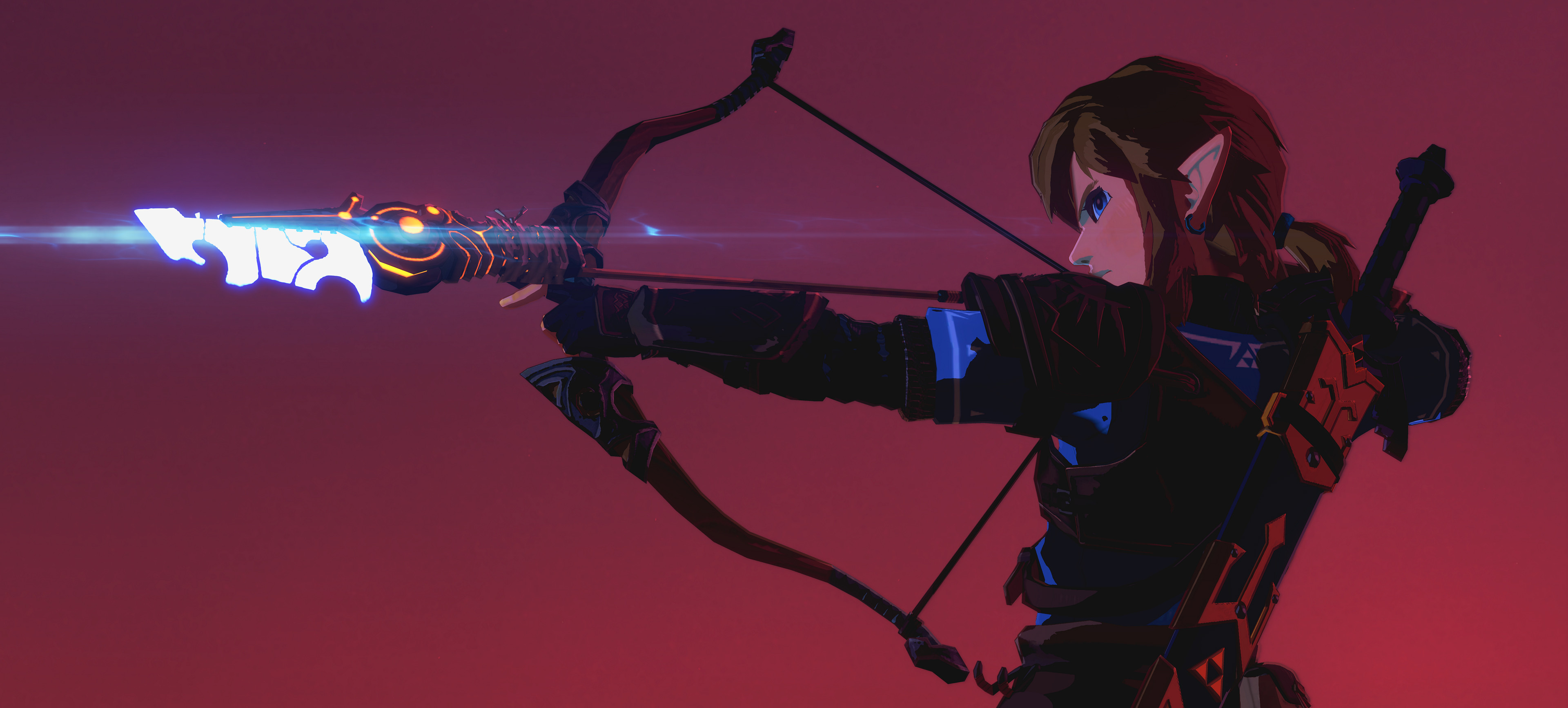
Fragment shaders can be applied to each mesh object in your game, allowing you to apply special effects to the colors and lighting of the mesh, or can even be applied to the final image after rendering is completed, called “screen-space post-processing” or more simply just “post-processing” effects.
Geometry Shaders
These types of shaders allowed you to generate geometry on the GPU (points, lines, and triangles), using the primitives that were sent at the beginning of the draw call.
In most game engines however, these have been deprecated in favor of a more modern approach using compute shaders.
Tessellation Shaders
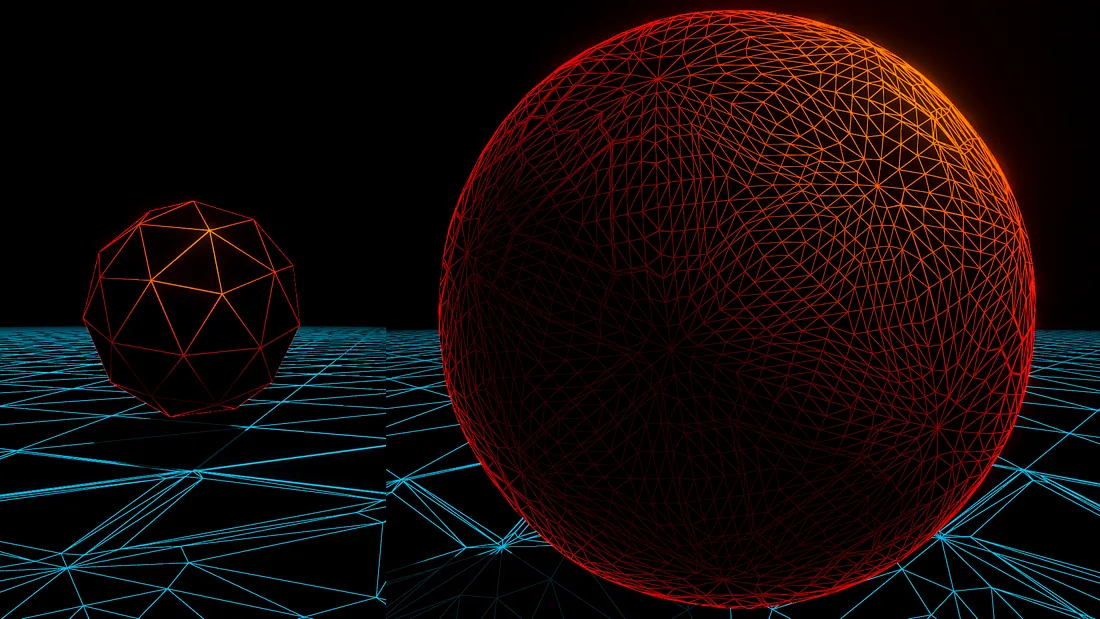
Tessellation shaders are a special type of shader that is used to increase the level of detail of geometry in a scene. They have the capability to subdivide meshes and increase the number of triangles on them, usually according to their distance from the camera.
This allows meshes close to the camera to have very fine details, while those further away are reduced to simpler meshes.
Compute Shaders
Compute shaders are a very important, newer type of shader. They are shaders that are not limited to performing rendering or shading tasks, but are rather able to perform any kind of computational task using the GPU’s hardware.
More specifically, they are executed with the same resource as GPGPU (General-Purpose GPU) programming, allowing you to take advantage of the parallel nature of the GPU for the completion of any computational task.
These computational tasks could be anything from terrain erosion simulations, to even raytracing! Here’s an example: